How Does a Data Center Work? Power, Cooling, PUE and Networking Explained
How data centers work, in plain English: power and backup, hot aisle/cold aisle cooling, what PUE means, networking, redundancy tiers and why heat is the enemy.
A data centre is a building that turns electricity into computing, and almost all of that electricity comes back out as heat. So every data centre is really three systems wrapped around the servers: power (getting clean, uninterrupted electricity in), cooling (getting the heat back out) and networking (getting data in and out fast). Everything else, from redundancy tiers to the famous PUE number, is about doing those three things reliably and cheaply.
This guide walks through each part in plain English (I’ll use “data centre”, the British spelling, from here on; it’s the same thing as a “data center”). At the end, I show how my game, Packet Empire, turns the same ideas into a puzzle. It’s a playful abstraction, not a simulator, and I’ll say where it bends reality.
Power: from the grid to the rack
A server can’t tolerate even a flicker in its power. So the power path in a data centre looks like a relay race with several backups waiting at every handover.
- Utility feed. Power arrives from the grid, often at high or medium voltage, and transformers step it down. Larger sites take feeds from more than one substation so a single grid fault doesn’t take them out.
- Switchgear and transfer switches. These route power and, when the grid fails, automatically switch the load to backup sources.
- UPS (uninterruptible power supply). Batteries (or sometimes flywheels) that carry the load instantly the moment the grid drops. They’re a bridge, not a long-term supply: their job is to hold everything up for the short gap until the generators take over.
- Generators. Usually diesel, sometimes gas, sized to run the site for as long as the fuel lasts. They need a little time to start and stabilise, which is exactly why the UPS exists.
- PDUs (power distribution units). The last step, splitting power out to each rack and then to each server. Important servers usually have two power supplies, plugged into separate “A” and “B” feeds, so either path can fail without the server noticing.
The pattern to notice: every link in the chain has a spare, and the handovers between them are automatic.
Cooling: why heat is the enemy
Nearly every watt a server draws ends up as heat in the room. A rack full of ordinary servers might draw a few kilowatts; the Uptime Institute’s 2026 global survey found 4 to 5 kW is still the most common rack design, while the average typical rack has crept past 11 kW. AI hardware is in a different league: Nvidia’s GB200 NVL72 is a liquid-cooled rack drawing about 120 kW. That’s dozens of household kettles running non-stop in the space of a wardrobe.
Hot aisle, cold aisle
Servers pull air in at the front and push hot air out of the back. So racks are lined up in rows that face each other: fronts face fronts across a cold aisle, where cool air is delivered, and backs face backs across a hot aisle, where the exhaust goes. Containment goes one step further and closes off one of the aisles with doors and a roof, so hot and cold air can’t mix. Blanking panels fill empty rack slots for the same reason: any gap lets hot exhaust leak round to the front and get sucked back in.
Industry guidance from ASHRAE recommends server inlet air between about 18 and 27 °C. Running colder than you need just wastes energy.
CRACs, CRAHs and chillers
The heat then has to leave the building.
- A CRAC (computer room air conditioner) works like a big air conditioner, with its own compressor and refrigerant.
- A CRAH (computer room air handler) has no compressor. It blows room air over coils full of chilled water.
- That chilled water comes from chillers, which reject the heat outdoors, often through cooling towers.
- Free cooling (also called economisation) skips the energy-hungry compressors whenever the outside air or water is cold enough to do the job. That’s one reason so many big data centres are built in cool climates.
Liquid cooling for AI racks
Air simply can’t carry heat away fast enough from very dense racks. So high-end AI systems use direct liquid cooling: coolant runs through cold plates sitting right on the chips. Some sites go further with immersion cooling, dunking whole servers in a non-conductive fluid. Uptime’s survey reports that a quarter of operators (24%) now run at least some racks at 30 kW or more, and the high end keeps rising with each generation of AI hardware.
What happens when it gets too hot
Chips protect themselves. When a processor reaches its temperature limit, it thermally throttles: as Intel puts it, throttling is a mechanism to reduce the clock speed so the chip doesn’t damage itself. In a data centre that means the same servers suddenly do less work. Run hot for long enough and components fail sooner. That’s why cooling isn’t a comfort feature: it’s capacity.
PUE: the efficiency number everyone quotes
PUE (power usage effectiveness) compares all the power a data centre draws with the power that actually reaches the IT equipment:
PUE = total facility energy ÷ IT equipment energy
A PUE of 1.0 would mean every watt goes to computing, with nothing spent on cooling, power conversion losses or lighting. That’s the theoretical ideal. A PUE of 1.5 means that for every 1 kW the servers use, another 0.5 kW goes to running the building.
The metric was introduced by The Green Grid in 2007. In Uptime’s 2026 survey, the industry average PUE was 1.52, and it has barely moved for about seven years. Operators’ largest sites averaged 1.45, and new builds that make good use of fresh air or evaporative cooling routinely reach 1.3 or better.
Two things worth knowing about PUE:
- It measures the building, not the computing. A site full of idle, inefficient servers can post a lovely PUE. Making the servers more efficient can even make PUE look worse, because the number on the bottom of the fraction shrinks.
- Climate matters a lot. A site in a cold place needs far less cooling than one in a desert, so comparing two random sites’ PUEs tells you less than tracking one site over time.
Networking: getting the data in and out
A data centre is only useful if it’s connected, and the network has a shape too.
- Uplinks. Connections to the outside world from internet carriers and transit providers. Big facilities have many carriers, often meeting in a “meet-me room” where customers can connect directly to each other’s networks.
- Edge routers. These sit at the border, exchange routes with the rest of the internet (using BGP) and decide which way traffic leaves.
- Switches. Inside, traffic flows through layers of switches. A common modern design is spine-leaf: every rack’s top-of-rack switch (a “leaf”) connects to every core “spine” switch, so any two servers are only a couple of hops apart.
- Load balancers. These spread incoming requests across many servers so no single one gets swamped, and quietly route around any that have failed.
Bandwidth is the limit here. A link can only carry so much, and when it fills, traffic queues and slows down.
Redundancy: N+1, 2N and the four tiers
You’ll see redundancy written as a formula:
- N is what you need to run the load. No spares.
- N+1 is what you need plus one spare. Lose any one unit and you’re still fine.
- 2N is two complete, independent systems, each able to carry everything alone.
The Uptime Institute’s Tier Standard turns this into four levels:
| Tier | In short | What it means |
|---|---|---|
| I | Basic capacity | A UPS, cooling and a generator, but maintenance means a shutdown |
| II | Redundant components | Spare UPS modules, chillers, pumps and generators |
| III | Concurrently maintainable | Any part can be taken offline for maintenance without stopping the IT |
| IV | Fault tolerant | Independent, physically isolated systems, so one failure can’t take down both |
Security: walls, badges and DDoS
Physical security is the part people picture: fences, guards, badge readers, cameras and “mantrap” entrances that let one person through at a time. Network security is the part that’s busy every day.
A DDoS (distributed denial-of-service) attack floods a target with junk traffic from many machines at once, often a botnet of hijacked devices, so real users can’t get through. Defences work in layers: upstream providers and scrubbing services filter attack traffic before it arrives, firewalls apply rules about what’s allowed in, and rate limits stop any one source from hogging the line.
How Packet Empire turns this into a game
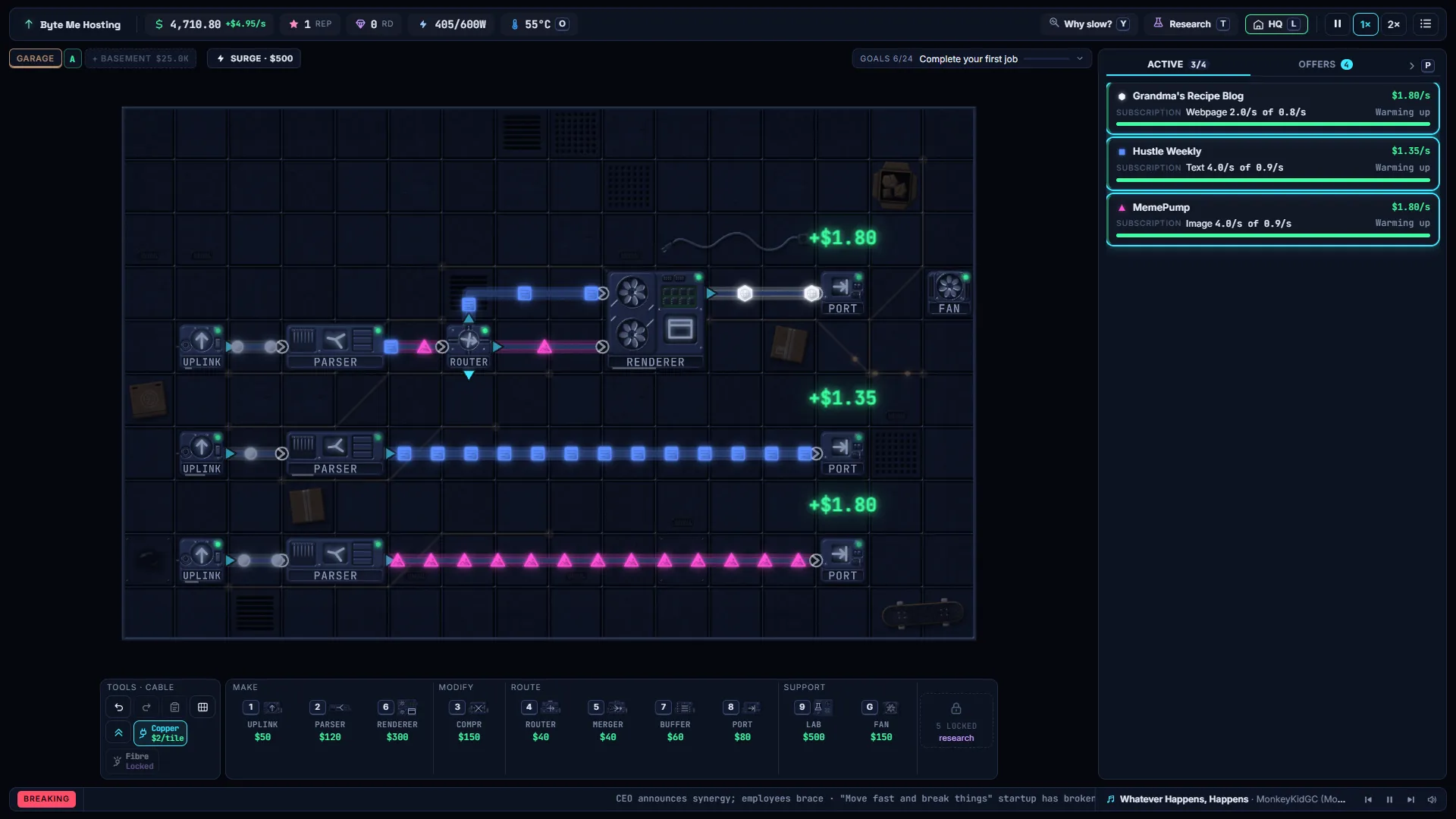
Packet Empire is a top-down factory game crossed with a data-centre tycoon. You place machines on a grid, wire them with cables and route glowing data packets to clients who pay by the packet. It borrows the real problems above and simplifies them until they’re fun. If you prefer games that simulate the real hardware more literally, see my list of data center games.
| Real data centre | In Packet Empire |
|---|---|
| Internet uplinks | Uplinks pour Raw packets onto your floor. Your floor’s ISP plan sets how fast they run, from 100% up to 200% speed. |
| Bandwidth | Every cable has a throughput: Copper carries 5 packets a second, Fibre (after research) carries 10. A full cable backs packets up visibly. |
| Load balancing | Routers hand packets out round-robin across their outputs, and each output can filter by packet type, or by its exact tags (plain Text, Compressed Text and so on). |
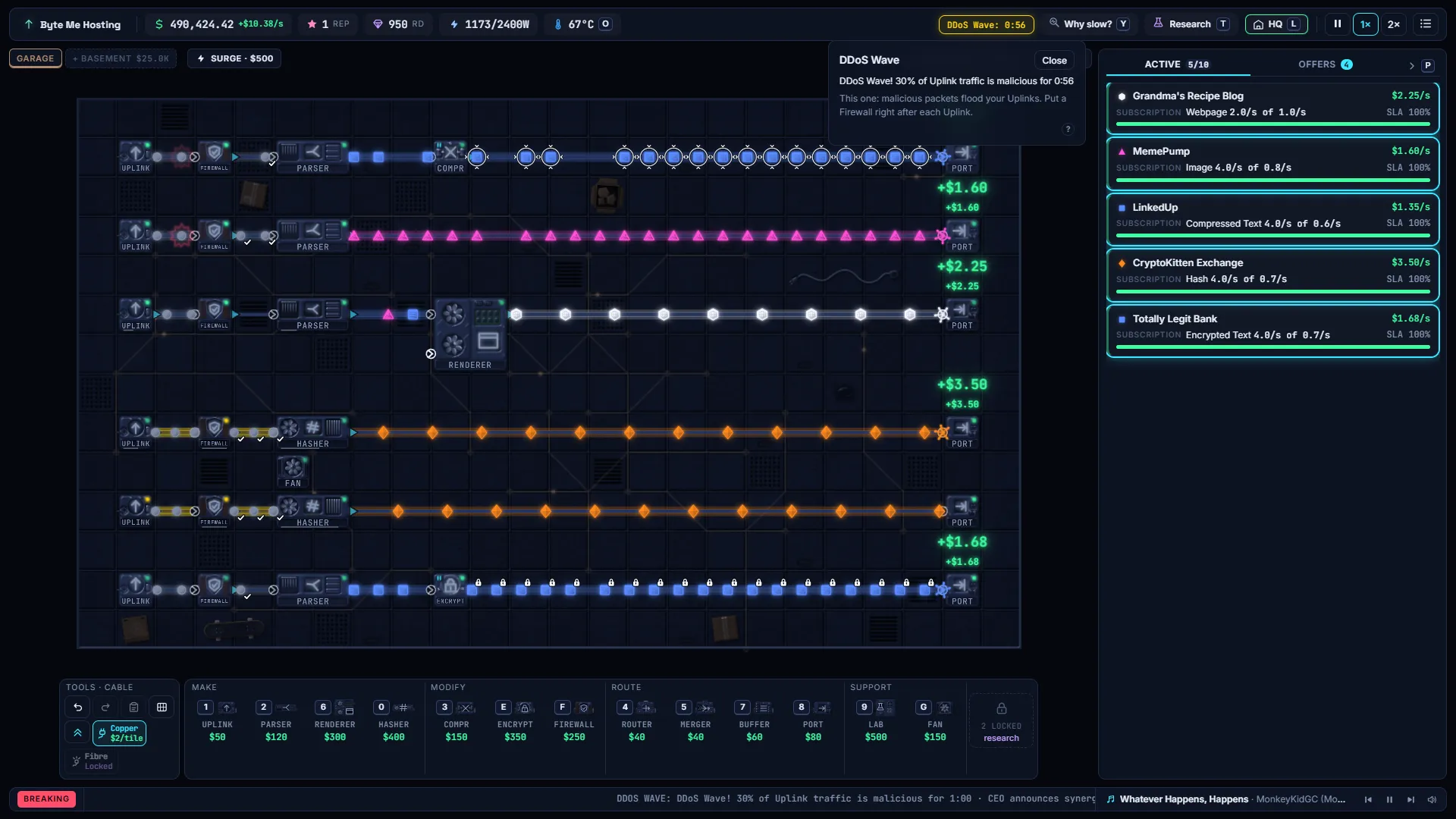
| Firewalls vs DDoS | During a DDoS Wave, 30% of Uplink traffic turns malicious for 60 seconds. Firewalls delete the malicious packets and stamp the rest Validated. Skip them and your ports swallow junk that pays nothing. You can also pay for protection during the warning. |
| Utility power and capacity | The building has one power plan, from 300 W to 19,200 W, and every placed machine counts against it, busy or idle. |
| Running out of power | Go over capacity and the floor browns out: every machine slows down to match (never below 25%), and the power chip turns yellow. |
| Power events | A Power Surge trips up to three machines offline for 20 seconds; they restart by themselves. |
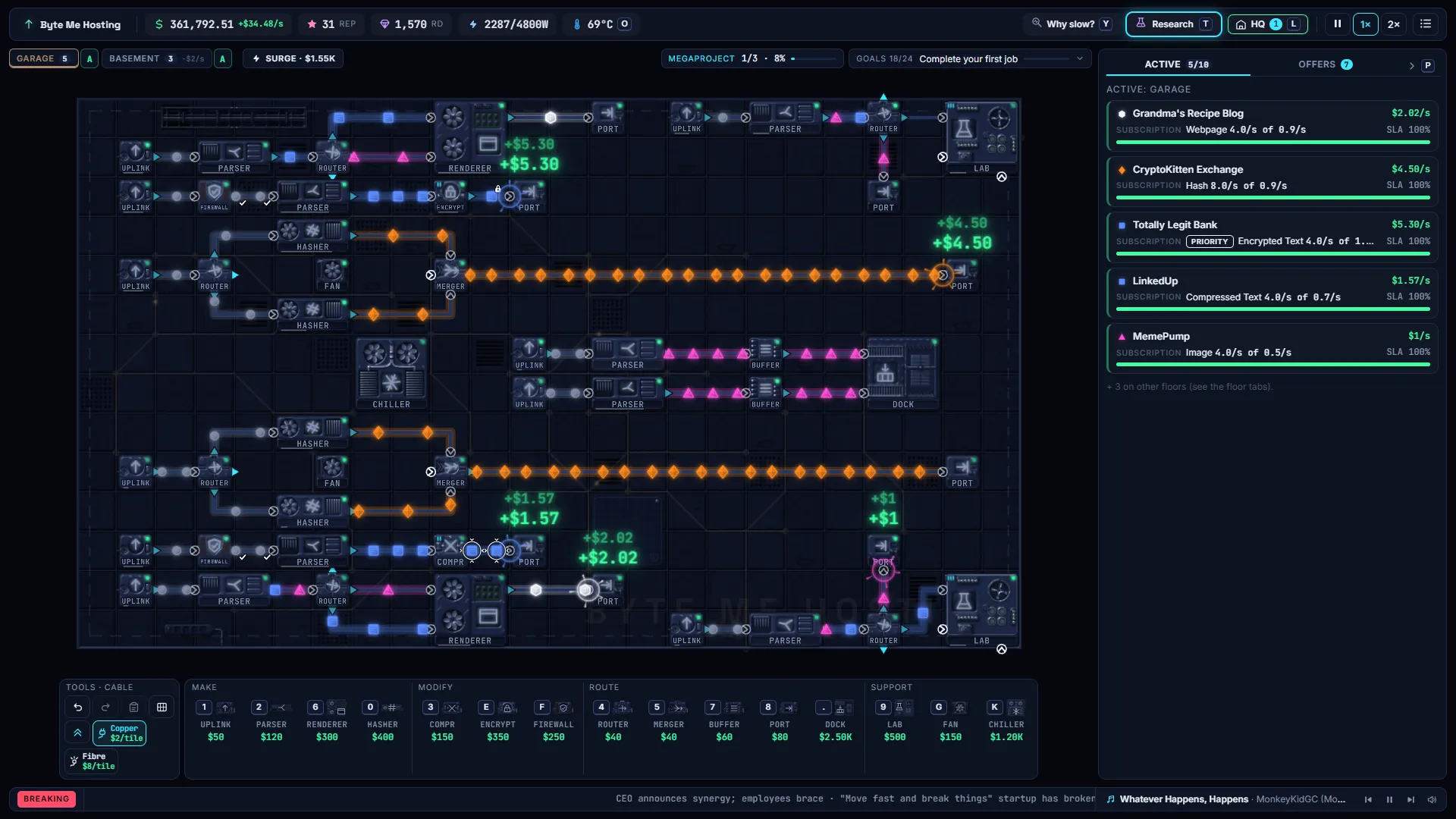
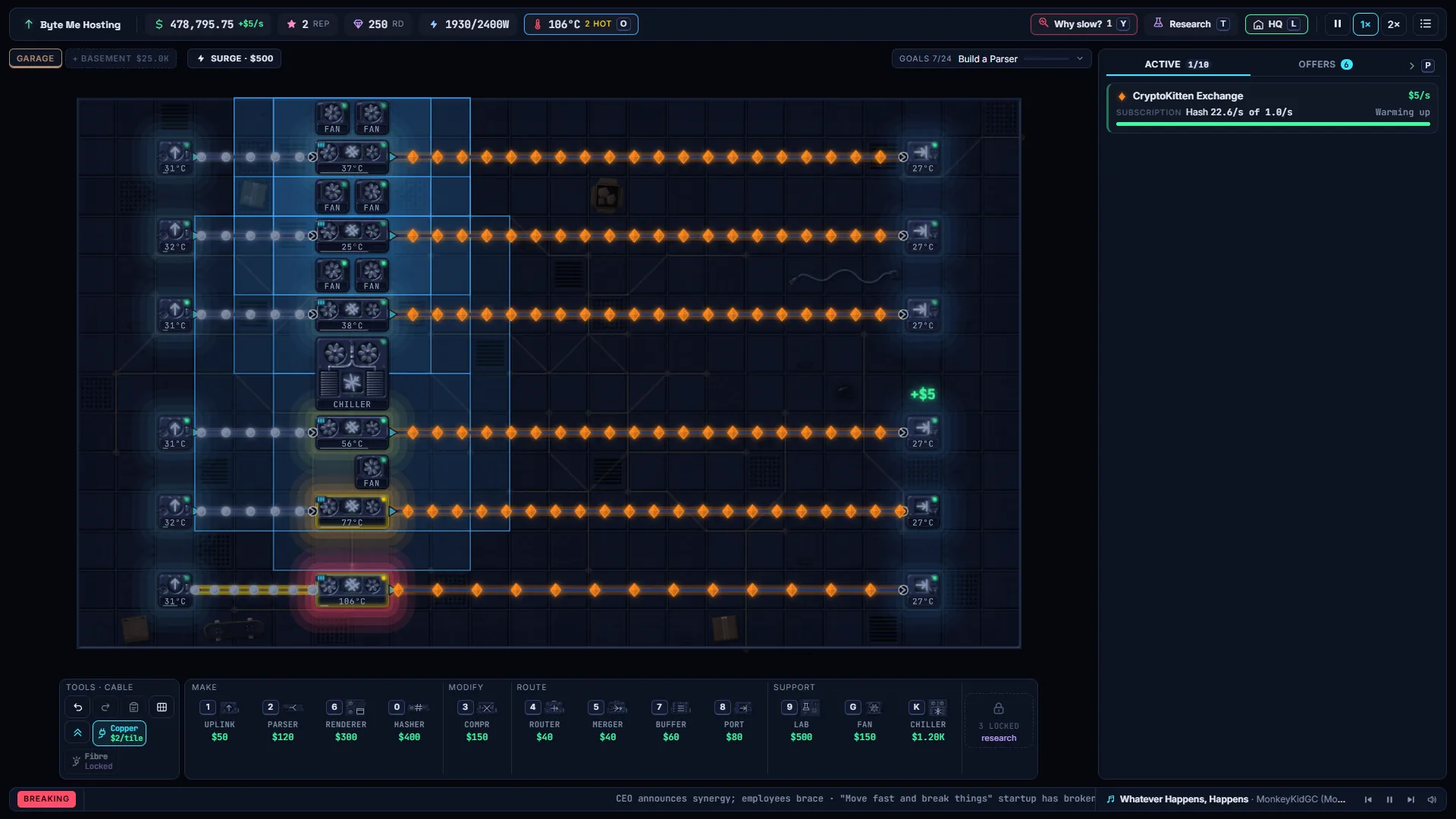
| Cooling | A Desk Fan cools everything within 2 tiles by 18 °C. A Chiller (2×2, after research) cools within 3 tiles by 35 °C. |
| Hot aisle / cold aisle | The research tree has a node literally called Cold Aisle Containment (“Plastic curtains and confidence”), which cuts the heat your machines make by 20%. |
| Thermal throttling | Above 70 °C a machine slows down, falling to half speed at 90 °C. The heat overlay shows every machine’s temperature, like the hot spot in the picture at the top of this page. |
| Hardware failure | At 90 °C and above a machine can break down. Repair is one click and costs a fifth of what you paid for it. Nothing is ever destroyed. |
Where the game bends reality
Plenty, on purpose:
- There’s no UPS and no generator. Power is one budget for the building, not a chain of backups. Running short slows you down rather than blacking you out.
- There’s no PUE number. Cooling machines do draw power, so the trade-off is there, but you won’t find a 1.52 anywhere on screen.
- Heat is per machine, not airflow. Each machine warms up from its own power use and from close neighbours, and coolers knock temperatures down within a range. It’s a much simpler model than real airflow, chosen so the answer reads at a glance: “put a fan next to it”.
- Breakdowns are forgiving. Real hardware that overheats can be ruined. In Packet Empire a broken machine keeps its queued packets and comes back with one click, and on the Relaxed difficulty machines throttle but never break at all.
- The office cat naps on the warmest machine. I’m fairly sure Uptime doesn’t certify that.
The aim is to give you the same decisions a data centre operator makes (where to put the cooling, when to buy more power, how to route traffic around a bottleneck) without needing an engineering degree to enjoy them. If that sounds like your sort of puzzle, my beginner’s guide shows how a first floor comes together. Packet Empire isn’t out yet: Early Access is planned for 2027 on Windows PC, and a free demo arrives with the Steam page.